


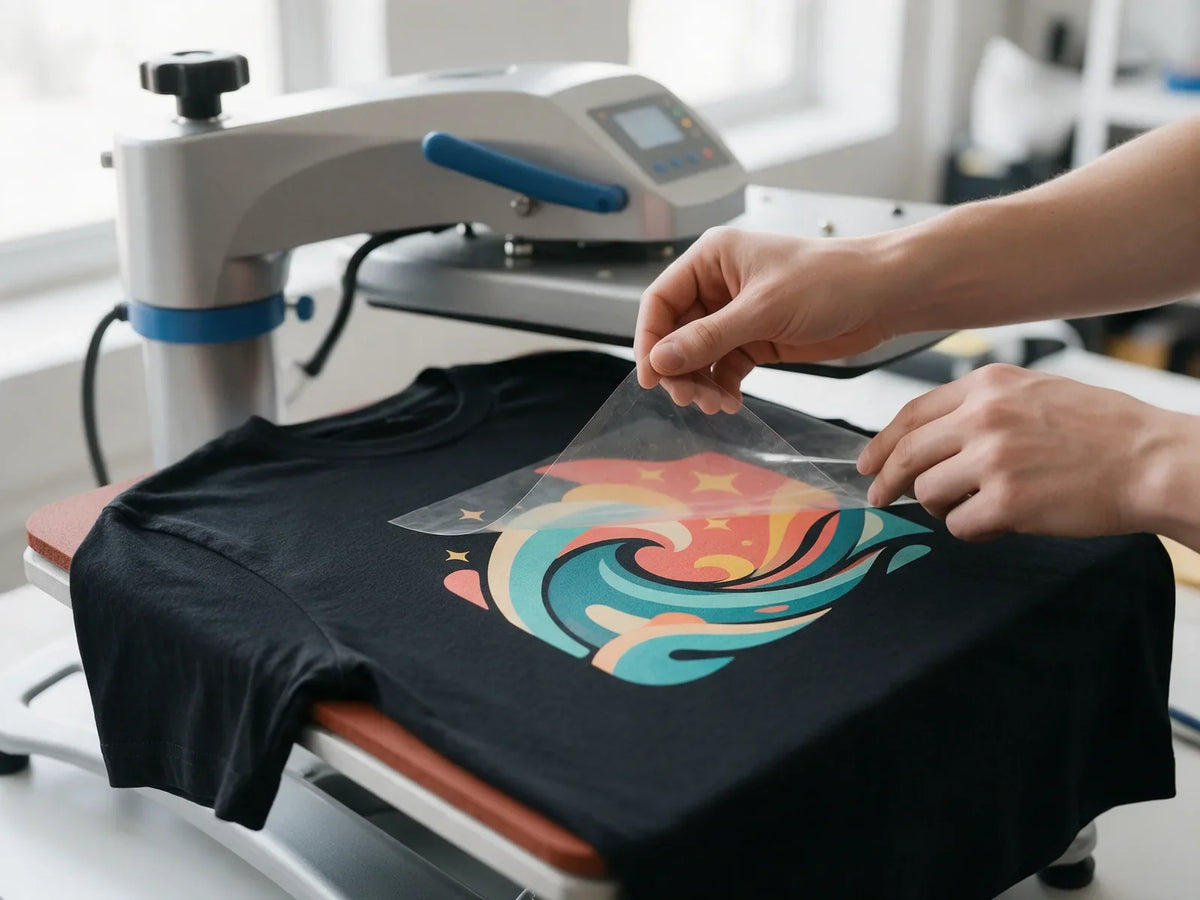
In most cases, DTF transfer peeling comes down to how the transfer was pressed or cared for, so it is usually easy to fix. Lifting edges, designs that will not stick and prints that crack in the wash trace back to a short list of causes: heat, pressure, time, peel timing, fabric and aftercare. This guide covers each problem, its likely cause and the fix.
Start with the right press settings
Most problems disappear when every press follows the same routine. These are the settings for our transfers:
- Start with a clean garment and pre-press it so it is dry and wrinkle-free.
- Press at 320°F (160°C) with medium pressure for 15 seconds.
- Let the film cool completely, then peel it away slowly. These are cold-peel transfers.
- Cover the design with parchment paper or a Teflon sheet and press again for 5 seconds.

On hats, secure the transfer with heat tape so it cannot shift. The full walkthrough is in our DTF application guide, and our article on DTF heat press settings explains why each setting matters.
DTF troubleshooting chart
Find your problem in the first column, then work through the likely causes. Each one is explained in more detail below.
| Problem | Likely cause | Fix |
|---|---|---|
| Edges lifting | Uneven or light pressure, seams under the print, peeling before the film is cool | Press on a flat area at medium pressure, peel cold, then do the 5-second second press |
| Not sticking | Press too cool, too little time or pressure, damp or coated fabric | Confirm 320°F (160°C), medium pressure and 15 seconds; pre-press first |
| Peeling after washing | Under-pressed transfer, skipped second press, hot water or dryer heat | Press at full settings, never skip the second press, wash cold and air dry |
| Cracking | Stretching the print while warm, hot washes, big solid areas on stretchy fabric | Let the print cool before handling, follow the care steps, open up large solid shapes |
| Film tearing when peeled hot | Peeling a cold-peel transfer before it has cooled | Let the film cool completely, then peel slowly at a low angle |
| Shiny spots or ghosting | No cover sheet on the second press, film shifting while pressing or cooling | Always use parchment or a Teflon sheet, tape the transfer, lift the press straight up |
| Scorching on fabric | Press running hotter than its display, extra presses, heat-sensitive fabric | Check the real platen temperature, cover the garment, stick to the set time |
| Colors look dull | Low-resolution file, semi-transparent pixels, colors chosen on a bright screen | Send a 300 DPI transparent PNG with solid colors and check the artwork requirements |
Why is my DTF transfer peeling?
Peeling shows up in two ways: edges that lift right after pressing, or a design that starts coming off after a few washes. Both usually mean the adhesive did not fully bond to the fabric.
Edges lifting right after pressing
Lifted edges usually mean the press did not make even contact. Seams, collars, zippers and pocket edges hold the top platen up, so parts of the design get less pressure. Thin outlines and tiny text also have less surface to grip with.
Move the design to a flat area, or put a pressing pillow inside the garment to raise the print area above the seams. Press for the full 15 seconds, wait for a full cold peel, then do the second press under parchment paper to seat the edges. In your artwork, keep text at 8 pt or larger.
Peeling after washing
A transfer that looked perfect but lifts after a few washes was usually under-pressed. The heat, pressure or time fell short, or the second press was skipped. Hot water, high dryer heat, bleach and dry cleaning also wear down the bond over time.
An edge that has only just started to lift can often be saved. Cover it with parchment paper or a Teflon sheet and repeat the 5-second press. A section that has fully come off cannot be reattached, so check your settings before pressing the next garment.
DTF transfer not sticking? Check these first
When the design stays on the film instead of the garment, the adhesive usually did not get enough heat, pressure or time to bond. Work through this list:
- Check the real temperature. Many heat presses run hotter or cooler than their display. A temperature gun or heat strips show what the platen actually reaches.
- Add pressure. On a manual press, medium pressure should take a firm push to lock the handle. If it closes with almost no effort, turn the pressure up.
- Pre-press first. Moisture in the fabric turns to steam and blocks the bond. A quick pre-press also removes wrinkles.
- Wait for a full cold peel. Peeling while the film is still warm can pull the design back up with it.
- Look at the fabric. Water-repellent, silicone or other coated finishes can stop any heat transfer from bonding. Test on an inside hem or a spare garment.
- Check the transfer's age. Unpressed transfers keep for 6–12 months in a cool, dry place. Older transfers, or ones stored in heat or humidity, can lose their grip.
DTF cracking after washing: causes and prevention
Cracking appears as fine lines across the design, usually after the garment has been washed and stretched several times. Common causes include:
- Stretching the garment while the print is still warm, including pulling it off the press too soon.
- Hot water and high dryer heat, which wear the print down faster.
- Large solid blocks of color on very stretchy fabric, where the print has to flex as much as the garment.
To prevent it, let the print cool before you handle or fold the garment, and follow the care steps below. On stretchy garments, consider artwork with some open space, such as a distressed texture, instead of one big solid shape.
Film tearing, shine, scorching and dull color
Film tearing when peeled hot
Our transfers are cold peel. Peel while the film is still warm and it can tear, leaving pieces of film behind or lifting parts of the design. Let it cool completely, then peel slowly at a low angle.
If the design starts to lift as you peel, stop and lay the film back down. Press briefly, let it cool, and try again. Our guide to hot peel vs cold peel DTF explains the difference.
Shiny spots or ghosting
A shiny patch on the print usually means it was pressed again without a cover sheet, or pressed longer than needed. Always cover the design with parchment paper or a Teflon sheet for the second press, and keep it to 5 seconds.
Ghosting is a faint double outline around the design. It happens when the film moves during the press or while it cools, for example when it sticks to the top platen as the press opens. Hold the transfer in place with heat tape, lift the press straight up and let the garment cool flat before you peel.
Scorching on the fabric
Yellow or brown marks around the design mean the fabric got too hot. The press may run hotter than its display, the garment may have had extra presses, or the fabric may be heat-sensitive. Check the real platen temperature, stay at 320°F, cover the garment, and test new fabrics on a spare piece first.
Colors look dull
Screens glow and fabric does not, so printed colors look a little less bright than they do on a monitor. Dull or patchy color usually traces back to the file: low resolution, semi-transparent pixels, or soft shadows and glows. Send a 300 DPI PNG with a transparent background, use solid colors where you can, and check our DTF artwork requirements before you order.
Our transfers include a white underbase, so colors stay bright on dark garments. Black Knockout transfers are different: no black ink is printed and the garment shows through, so they are made only for black, charcoal and deep heather garments.
Prevent problems with good storage and care
Store transfers flat or rolled
Keep unpressed transfers in a cool, dry place and use them within 6–12 months. Store them flat or rolled, never folded, since a crease can damage the print.
Care for the finished garment
- Wash inside out in cold water.
- Skip bleach and dry cleaning.
- Air dry instead of using a hot dryer.
Our transfers are lab tested for 100+ washes. Pressing at the right settings and following this routine helps your garments hold up. If you sell finished garments, pass these care steps on to your customers.
When it is a print problem: our reprint policy
If you followed the settings above and a transfer still will not stick, or the print itself has a flaw, contact us within 15 days of delivery for a free reprint under our 15-Day Reprint Policy. It covers print-quality and adhesion problems. Custom items are final sale, and the full terms are in our refund policy.
It helps to include your order number, the garment you pressed, your press settings and a few clear photos when you contact us. New to pressing? A free DTF transfer sample pack is an easy way to dial in your press before a big run.
Frequently asked questions
Why is my DTF transfer peeling off?
Usually the transfer was under-pressed, peeled before the film cooled, or finished without the second press. Press at 320°F (160°C) with medium pressure for 15 seconds, peel cold, then press again for 5 seconds under parchment paper.
Can I re-press a DTF transfer that is lifting?
Yes, if the edge has only just started to lift. Cover the design with parchment paper or a Teflon sheet and press for 5 seconds. A part of the design that has fully separated cannot be reattached.
Can I use a household iron instead of a heat press?
Yes, in a pinch. Press firmly and cover the whole design evenly, since an iron heats less evenly than a press. For the most consistent results, use a heat press.
How long can I store DTF transfers before pressing?
Unpressed transfers keep for 6–12 months in a cool, dry place. Store them flat or rolled, not folded.
Get every press right
Most fixes come back to the same routine: pre-press, 320°F at medium pressure for 15 seconds, a full cold peel and a short second press. Keep the application guide handy, and reach out if a transfer still gives you trouble.


