


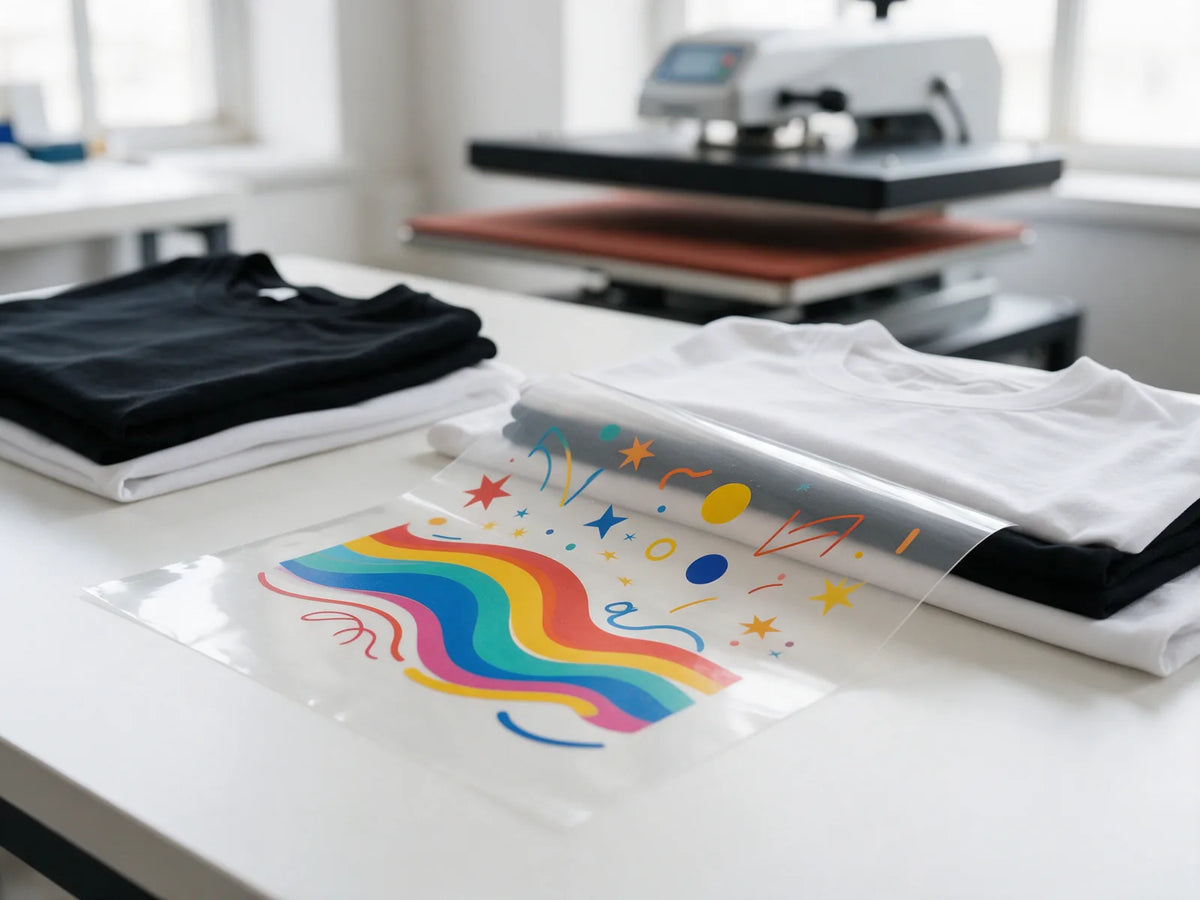
What is DTF printing? DTF (direct-to-film) printing puts your design on clear PET film in full color, backed by a layer of white ink, then coats it with adhesive powder and cures it into a transfer. A heat press bonds that transfer to fabric, so the same print works on cotton, polyester and blends, light or dark.
Key takeaways
- DTF prints your design on film first; a heat press then bonds it to the garment.
- It handles full color on cotton, polyester, blends and more, on light and dark garments.
- Each transfer presses once, and it's made for fabric: mugs and other hard surfaces need UV DTF.
- Our DTF transfers are cold peel and lab tested for 100+ washes.
- No setup fees or minimums on DTF transfers; orders placed before 3 PM EST, Mon–Fri, print the same day.
In this guide
- DTF transfers explained in plain English
- How does DTF printing work, step by step?
- What is DTF printing used for?
- DTF printing pros and cons
- Is DTF printing good quality?
- Standard or Black Knockout: two kinds of DTF
- What is better than DTF printing?
- Can I print DTF transfers on a regular printer?
- Can you make money with a DTF printer?
- How many times can you use a DTF print?
- How to order DTF transfers
- Frequently asked questions
- Start your first DTF order
DTF transfers explained in plain English
A DTF transfer is a finished print that travels on a sheet of clear film until it's heat pressed onto fabric. The film is only the carrier: once the transfer is pressed and cooled, you peel the film away and the design stays on the garment. Each transfer is built from three layers:
- Color. Your artwork in full color, including gradients, photos and fine detail.
- White underbase. A layer of white ink behind the colors that keeps them bright on dark garments.
- Adhesive. A cured powder that bonds the print to the fibers under heat and pressure.

Hold a transfer up to the light and you'll see clear film everywhere except the design. Seen through the film, the artwork reads correctly, just as it will on the shirt; the back is the white layer and the adhesive, which go face down on the fabric. Because ink and adhesive sit only where your artwork is, there's no film edge or clear box left around the design after pressing.
People use "DTF" for the printing method, for the transfers it produces and for the finished print on the shirt. The name describes the route the ink takes: directly onto film, and only later onto the garment.
When a shop sells DTF, it's usually selling the transfers, printed and ready for you to press onto your own blanks. That's what our custom DTF transfers are: we print them, and you press them when you need them.
Because the design is made first and applied later, printing and pressing can happen on different days, in different places and by different people. One transfer design can go on a t-shirt, a tote bag or a denim jacket, and the adhesive does the bonding, so DTF isn't tied to one fiber type the way inks that have to soak in are. For the fabric-by-fabric list, see what you can put DTF transfers on.
How does DTF printing work, step by step?
DTF printing works in two stages: the design is printed on film, powdered and cured into a transfer, then a heat press bonds that transfer to the garment. Seven steps take a file to a finished shirt, and most of them happen before the transfer ever reaches you.
- Prepare the artwork. Set the design up at the size it will print, on a transparent background: anything that isn't transparent prints, including a white box. A PNG with a transparent background at 300 DPI gives the cleanest edges; we also accept AI, EPS, PDF and JPG, in RGB or CMYK. Our DTF artwork requirements list the full rules.
- Print the colors on film. CMYK inks go onto coated PET film in reverse, as a mirror image, so the design reads correctly once it's flipped onto the garment. The colors go down first because they're the side you'll see on the shirt.
- Print the white layer. White ink goes down on top of the colors. On the garment, it ends up behind them as the underbase.
- Add adhesive powder. A hot-melt powder is shaken over the wet ink. It clings only to the ink and the rest is tapped off, so there's nothing to weed.
- Cure. Heat melts the powder onto the ink, and the sheet becomes a finished transfer that can be shipped, stored or pressed. Unpressed, ours keep 6–12 months in a cool, dry place, stored flat or rolled; here's more on how long unpressed transfers keep.
- Press. Start with a clean, dry, wrinkle-free garment (a quick pre-press is optional). Lay the transfer printed side down and press: ours take 320°F (160°C), medium pressure, 15 seconds, with no parchment or Teflon sheet needed for this first press.
- Peel and finish. Ours are cold peel: let the film cool completely, peel it away, then press again for 5 seconds with parchment paper or a Teflon sheet on top.
Why each setting matters is explained in DTF heat press settings, the cool-down in hot peel vs cold peel DTF, and pressing without a press in applying DTF transfers with an iron.
What we do with your order, and what you do
Step 1 can be yours or ours: we check and color-correct every file, and if a file isn't print-ready, we'll fix it free. Steps 2 to 5 are ours, and orders placed before 3 PM EST, Monday to Friday, are printed the same day.
Steps 6 and 7 are yours. A heat press gives the best results, and a household iron works in a pinch if you press firmly; our DTF application guide covers both. Prefer finished shirts? We print custom apparel with no minimum order.
What is DTF printing used for?
DTF printing is used mostly for custom apparel and other fabric goods: t-shirts, hoodies, hats, totes, jackets and team wear. It shines when a design has many colors, the run is small to medium, or one order mixes many designs, names and sizes.
Here's who orders DTF transfers, and why:
- Resellers and print shops. They order transfers and press them as orders come in, with no printer to run. Our transfers ship without Tidal Colors branding; see DTF transfers for resellers.
- Etsy sellers and small brands. With no setup fees and no minimums on DTF transfers, a new design can be tested on a handful of shirts. The shop side is covered in selling DTF shirts on Etsy.
- Sports teams and schools. Names and numbers on polyester jerseys and warm-ups, often laid out on one names-and-numbers gang sheet. Fully sublimated uniforms are a separate service: sublimated team uniforms.
- Businesses. One logo on work shirts, hats, totes and jackets, so every item carries the same full-color mark. Reordering is simple, since the Gang Sheet Builder can reopen a sheet you ordered before.
- Clubs, nonprofits and events. Short runs with dates and sponsor lists, often in full color, where a screen for every color rarely pays off.
- Families and reunions. Matching shirts with a different name on each; our family reunion shirt ideas have themes to start from.
A typical mixed order: a youth soccer club wants its crest on every shirt, each player's name and number on the back, and a few hoodies for the coaches. The crest, names and numbers can all share one gang sheet, then get cut apart and pressed onto cotton tees and polyester jerseys alike.
The common thread is variety: lots of colors, lots of versions or lots of garment types in one order, at quantities too small or too mixed for screens.

DTF printing pros and cons
DTF's strengths are full color at no extra cost, a wide range of fabrics, light and dark garments, and no setup fees for small runs. Its trade-offs are a thin layer you can feel on large solid areas, a press step for every piece, and no hard surfaces.
Advantages of DTF printing
- Full color at no extra cost. Photos, gradients and fine lines print in one pass, so you pay for size, not colors.
- Light and dark garments. The white underbase keeps colors bright on black and navy as well as on white.
- Many fabrics. Our transfers adhere to cotton, polyester, blends, tri-blends, canvas, denim, leather and nylon.
- Small runs make sense. There are no screens to make, and there are no setup fees and no minimums on DTF transfers.
- Print now, press later. Unpressed transfers keep 6–12 months in a cool, dry place, so you can press to order.
- Durable when pressed right. Our transfers are lab tested for 100+ washes. Real-life wear is covered in how long DTF prints last.
What are the disadvantages of DTF printing?
DTF's main drawbacks are feel, labor and range. The print sits on top of the fabric, so large solid areas feel heavier than ink that soaks in. Every piece needs its own press. And it's made for fabric: heat-sensitive materials are a poor match, and hard surfaces need a different process.
- It sits on the surface. DTF is a thin, flexible layer, so big solid areas feel heavier and breathe less than bare fabric. Whether it feels like plastic is answered in our guide to DTF wear and feel.
- Every piece needs pressing. For hundreds of identical one- or two-color shirts, screen printing often costs less per shirt; the comparison table further down shows where each method wins.
- Heat and fabric only. Heat-sensitive or coated materials are a poor match, and mugs, tumblers and other hard surfaces need UV DTF, which we don't offer. See what DTF can and can't go on.
- The file shows everything. Low-resolution images print blurry, text under 8 pt and hairlines get lost, and soft, see-through effects need care; read semi-transparent artwork for DTF before you send one.
- Printing in-house is a commitment. Running your own printer means film, ink, powder, curing and regular printer upkeep. Weigh the two routes in buying a DTF printer vs ordering transfers.
Weighing it up: if your design is full color, your quantities vary or your garments aren't all cotton, the advantages usually win. If you need hundreds of one simple design, or the item isn't fabric, look at the alternatives further down.
Is DTF printing good quality?
Yes, when three things line up: a sharp file, good film, ink and powder, and a correct press. Good DTF shows crisp edges, smooth gradients and bright color on dark shirts, and the print flexes when the fabric stretches instead of cracking.
What decides quality: a file built at print size and 300 DPI, with no text under 8 pt; a solid white underbase behind the colors on dark garments; and a full press followed, for film like ours, by a cold peel. On our side, we check and color-correct every file before it prints.
When a print disappoints, the cause is usually the file or the press rather than the method: an enlarged low-resolution image, a press that ran too short or too cool, or cold-peel film pulled while still warm. Our DTF troubleshooting guide walks through the common problems.
How DTF stacks up against screen printing depends on the design and the run size; DTF vs screen printing compares the two side by side.
How to judge a DTF supplier's prints
Whoever prints your transfers, judge them on finished garments rather than on photos, which hide edge sharpness, feel and stretch. Press a few and check each one for:
- Sharp edges and small text. Lines are crisp and small lettering stays readable.
- Colors close to your file. Brand colors and skin tones look like your artwork, allowing for the usual shift from screen to fabric.
- A solid white layer on dark garments. No shirt color shows through the light parts of the design.
- No powder specks or haze around the design. The fabric around the print is clean, with no stray adhesive.
- A clean release. The film comes away cleanly at the right peel temperature; with ours, that means once it's cold.
- Stretch and wash. Stretch a pressed print gently, then wash it the way you normally would; it should flex back without cracking.
Look at what surrounds the prints, too: whether files are checked before printing, how clear the same-day cutoff is, and what happens if a print fails. With us, print-quality or adhesion problems reported within 15 days of delivery get a free reprint under our 15-Day Reprint Policy.
Want to run this checklist on our transfers? Order the free DTF transfer sample pack and press the samples on your own blanks. The pack is free, the $4.99 shipping comes back as $4.99 store credit, and pickup in Alpharetta is free.
Standard or Black Knockout: two kinds of DTF
We print two kinds of DTF transfers: standard transfers, in full color with a white underbase for any garment color, and Black Knockout transfers, which print no black ink, so a black, charcoal or deep heather garment shows through the black parts of your design.
| Detail | Standard DTF | Black Knockout DTF |
|---|---|---|
| Garment colors | Any color, light or dark | Black, charcoal and deep heather only |
| Black in your design | Printed in black ink | Not printed; the garment shows through |
| Artwork rule | PNG with a transparent background, 300 DPI preferred | Black in the artwork must be pure #000000 |
| How to order | By size, in the Gang Sheet Builder or as an uploaded gang sheet | In the Black Knockout Gang Sheet Builder, printed on separate sheets from standard designs |
Standard transfers print every color in your file, black included, backed by the white underbase, which is why they work on any garment color. Choose Black Knockout when your design has black in it and the garment is black, charcoal or deep heather; for any other garment color, order standard DTF.
Before you set up a knockout file, read how Black Knockout DTF works, then build the sheet in the Black Knockout Gang Sheet Builder. Keep standard and knockout designs apart, since they can't share a sheet.
You'll also see DTF film sold as hot, warm or cold peel, depending on when the film comes off; ours is cold peel. And DTF is only one kind of heat transfer: vinyl and sublimation transfers are others, compared in other types of heat transfer.
What is better than DTF printing?
No method beats DTF at everything; the right choice depends on the fabric, the quantity, the design and the feel you want. Screen printing wins on big runs of simple designs, embroidery on raised logos, sublimation on all-over polyester prints, and DTF on full color in small batches across many fabrics.
On feel alone, sublimation can't be felt at all and DTG is soft on cotton, while DTF leaves a thin layer you notice most on large solid areas. The table shows where each method fits, which ones we offer, and where to read the full comparison.

| Method | Best for | Trade-off vs DTF | Full comparison |
|---|---|---|---|
| Screen printing (we offer it) | Large runs of one design with a few solid colors | Each color needs its own screen, so small or many-color runs cost more | DTF vs screen printing |
| DTG (we don't offer it) | Soft prints on cotton | Ink soaks into the fibers, so it suits cotton best; dark shirts need pretreatment | DTF vs DTG |
| Dye sublimation (we offer it for blankets, towels and team uniforms) | All-over prints you can't feel, on white or light polyester | Polyester and light colors only | DTF vs sublimation |
| Embroidery (we offer it) | Raised logos on caps, polos and jackets | Thread can't show photos or fine gradients | Embroidery vs printing |
| Heat transfer vinyl (HTV) | Simple one- or two-color names and numbers | Each color is cut, weeded and layered separately | DTF vs other heat transfers |
So is DTF better than DTG, sublimation, embroidery or screen printing? For full color on mixed fabrics in small batches, usually yes; for the jobs in the "Best for" column, the other method usually wins. DTF is also quick to start, since there are no screens to make or embroidery files to digitize.
Plenty of orders mix methods: an embroidered logo on the caps and DTF on the matching shirts, or screen printing for a big staff run and DTF for a handful of one-off names.
When DTF is the right choice
- Choose DTF for full-color art, photos, or many designs and names in one order; for small to medium runs; for mixed fabrics; or for transfers you'll press later.
- Choose screen printing for a large run of one design with a few solid colors; see our screen printing service.
- Choose embroidery for a raised logo on caps, polos and jackets, through our custom embroidery.
- Choose sublimation for all-over prints on white or light polyester. We sublimate blankets, towels and team uniforms, including custom blankets.
- DTG: we don't offer it; the DTF vs DTG guide explains when people pick it.
Can I print DTF transfers on a regular printer?
No. A regular inkjet or laser printer can't make DTF transfers: it has no white ink, and DTF needs special pigment inks, coated PET film, an adhesive powder step and curing. A DTF printer is an inkjet built, or converted, for exactly that job.
A working DTF setup includes:
- A printer running CMYK plus white DTF inks
- PET transfer film
- Hot-melt adhesive powder and a way to apply it, by hand or with a shaker
- A way to cure the powder, such as a curing oven or a heat press
- RIP software that controls the white layer and the colors
Converted desktop printers exist, but they're a hobby project with regular upkeep: white ink settles, so it has to be used and cleaned often. Iron-on "transfer paper" for home printers is a different product altogether.
Dedicated DTF printers are built around that white ink, and most keep it moving with circulation or stirring. They range from sheet-fed desktop models to roll-fed machines paired with an automatic powder shaker and dryer for higher volume.
Whether a real DTF printer pays for itself depends on how much you print, and is a DTF printer worth it works through the costs. The other route is to skip the printer and order ready-to-press transfers.
Is a Cricut a DTF printer?
No. It's a cutting machine: it cuts shapes from vinyl, paper and other materials, and it can't print DTF transfers. It can still fit a DTF workflow, because a small home heat press, including the ones cutting-machine brands sell, can press ready-made transfers.
So if you already own a cutting machine, you don't need a DTF printer to start: order ready-made transfers and press them with a heat press. For settings and technique on small presses and irons, see pressing DTF transfers at home.
Can you make money with a DTF printer?
Yes, many shops and sellers do, but the money comes from selling finished products, and the printer is only part of the cost. Ink, film, powder, curing, upkeep, floor space and your time all come before profit, so the math depends on how busy you can keep the printer.
| Question | Your own DTF printer | Ordering ready-made transfers |
|---|---|---|
| What you buy first | A printer, curing equipment and supplies | The transfers and a heat press |
| Ongoing work | Printing, powdering, curing and printer care, then pressing | Pressing only |
| Minimums | Whatever you decide | None on our DTF transfers |
| Fits best | Steady, high volume that keeps a printer busy | Testing designs, small batches, seasonal spikes |
Before buying, price out a typical month both ways. On the printer side, count ink, film, powder, power, maintenance, misprints and the hours spent printing and cleaning; on the transfer side, count the transfers and shipping. Many sellers start with ordered transfers to learn which designs sell, and buy a printer only once steady orders would keep it busy.
The break-even math is in DTF printer vs outsourcing. For the selling side, see how to price custom t-shirts and start a t-shirt business with DTF.
If you resell, our transfers ship without Tidal Colors branding, and for larger volume pricing you can reach us at (678) 845-6864 or hello@tidalcolors.com.
How many times can you use a DTF print?
Once. A DTF transfer is single-use: pressing melts its adhesive into the garment and the film peels away empty, so there's nothing left to press a second time. From then on, the print is part of the shirt and is worn and washed with it.
What a pressed print does go through is washing, and ours are lab tested for 100+ washes. Real-life wear also depends on how the shirt is pressed and cared for.
Need one design on 20 shirts? Order 20 copies. Gang sheets are priced by length, not per design, so extra copies are a layout question: what you pay depends on how much of the sheet they fill in the Gang Sheet Builder.
One practical tip: order a spare or two of designs that matter. A crooked or rushed press can't be undone, and a spare saves a reorder for a single shirt.
The short second press finishes the same print; it doesn't reuse the transfer. Pressing a new transfer over an old print is a separate question, answered in layering one transfer over another.
How to order DTF transfers
You can order DTF transfers four ways: one design at an exact size, a gang sheet you build in our free browser builder, a ready-made gang sheet you upload, or a Black Knockout sheet for black, charcoal and deep heather garments. Pick the route that matches how many designs you have.
- Transfers by size. Order a single design at the exact size you need with DTF transfers by size, the simplest route for one logo or a few shirts.
- Build a gang sheet. One sheet, 22 inches wide and sold by length, holds as many designs as fit, so full fronts, left-chest logos and names can share it. The builder is free, runs in your browser, needs no account and shows a preview before you order.
- Upload a ready gang sheet. If you already lay out your own sheets, upload a ready gang sheet at the length you need.
- Black Knockout. A builder of its own for the knockout transfers described above, with black at #000000 and separate sheets.
For files, a PNG with a transparent background at 300 DPI is preferred, and AI, EPS, PDF and JPG are accepted, up to 22 inches wide, with no text under 8 pt. The DTF size guide suggests a print size for each placement.
A 12" × 12" transfer costs $4.51 by size, and gang sheets cost as low as $4.50 per foot (on 20 ft and 40 ft sheets and 30 ft uploaded sheets); compare every option on DTF transfer prices.
Orders placed before 3 PM EST, Monday to Friday, are printed the same day. Transfer orders of $75 or more get free Standard shipping, and Local Pickup in Alpharetta is free; see printing and shipping times.
Frequently asked questions
What does DTF stand for?
DTF stands for direct-to-film. The design is printed onto film first, not straight onto the garment, and the printed film becomes a transfer that's heat pressed later. It's easy to confuse with DTG (direct-to-garment), which prints ink straight onto the shirt; we don't offer DTG.
Why is DTF printing so popular?
It fills the gap between screen printing and vinyl: full color with no screens, any quantity, many fabrics, light and dark garments, and transfers you can print now and press later. That suits small brands, Etsy sellers and resellers, and ours come with no setup fees and no minimums.
Is DTF printing a type of heat transfer?
Yes. The design is made first, on film, then bonded to the garment with heat and pressure. Unlike vinyl, it's printed rather than cut, so it handles full color; unlike sublimation, it carries its own adhesive, so it works on cotton. Our guide to heat transfer printing covers the other types.
Is DTF printing easy to do yourself?
Pressing ready-made transfers is. You need a heat press, a clean, dry, wrinkle-free garment and our settings: 320°F (160°C), medium pressure, 15 seconds, a cold peel and a 5-second finishing press. Printing transfers yourself is harder, with a printer, powder, curing, white-ink upkeep and practice. Many sellers start by pressing transfers they buy, using our DTF application guide.
Do you need to pretreat shirts for DTF?
No. Unlike DTG, which we don't offer, DTF needs no chemical pretreatment; the adhesive on the transfer does the bonding. What it does need is a clean, dry, wrinkle-free garment, and a quick pre-press is optional if you want to smooth it first. Whether to wash new shirts before pressing is covered in how to wash DTF shirts.
Do DTF transfers need weeding?
No. Weeding means picking away the excess vinyl around a cut design. A DTF transfer has ink and adhesive only where the design is, so the clear film around it simply peels away after pressing, once it's cold for ours. On a gang sheet, you just cut the designs apart with scissors, leaving a little film around each.
Is DTF printing breathable?
The area under a print breathes less than bare fabric, because the transfer is a continuous thin layer. Small designs, text and artwork with open space barely change how a shirt breathes; large solid blocks on a full front are what you notice on a hot day. On black, charcoal and deep heather garments, Black Knockout leaves the black parts of a design unprinted, so the shirt itself fills them in.
How many colors can a DTF transfer have?
As many as your artwork has. DTF prints full color in one pass, gradients and photos included. There's no per-color setup like screen printing, so you pay for the design's size, by size or by gang sheet length, not for its number of colors. A photo costs the same as flat artwork of the same size.
Can DTF print photos and gradients?
Yes. DTF is printed digitally, so photos, gradients and fine detail come through in one pass. Send a PNG with a transparent background at 300 DPI for the cleanest result. Soft fades into the shirt color and semi-transparent effects need extra care in the file, as our guide to transparent PNG artwork explains.
What kind of film is DTF printed on?
Clear PET (polyester) film with a coating that holds the ink. The film is only the carrier: it holds the print through powdering, curing, shipping and storage, then peels away after pressing. Films are made for hot, warm or cold peel; ours is cold peel, so let it cool completely before you peel.
What is DTF powder made of?
A hot-melt adhesive, usually a polyurethane-based powder often called TPU, shaken over the wet ink and then cured. Under the heat press it melts again and grips the fibers, which is what holds the print on. Because it only sticks to ink, there's no glue left around the design. On an unpressed transfer, it's the slightly rough layer you can feel on the printed side.
What kind of ink does DTF printing use?
Pigment inks made for DTF, in CMYK plus white. The colors print first and the white goes on top; once the transfer is pressed, that white becomes the underbase behind the colors, which is why prints stay bright on dark garments. A regular inkjet has no white channel, one reason it can't print DTF.
Start your first DTF order
DTF puts full-color designs on a wide range of fabrics with no setup fees and no minimums; pick the ordering route that fits your project and press at our settings. If you're still deciding, press a free sample on your own blank first. Prefer finished apparel? Browse custom t-shirts, pick a decoration method and design them online.


